Nepenthes | 繁體 | 简体
Service
Database Mapping Object,Business Logic Object and Service Object
Project Initialization
This chapter will use NetBeans as the IDE. Before we started,please make sure you have downloaded and installed NetBeans. Create a Java Class Library project with nepenthes-demo-3.0 name. nepenthes-demo-3.0.zip
Add the following libs to the project Libraries.
- nepenthes-3.0.jar
- servlet-api.jar (Located at /usr/local/apache-tomcat-7.0.55/lib)
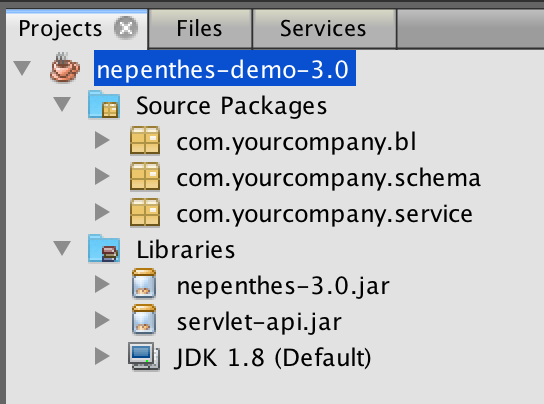
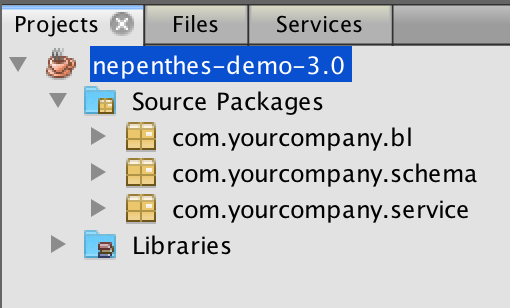
Create the following packages in the project.
- com.yourcompany.bl
- com.yourcompany.schema
- com.yourcompany.service
Schema Object
According to Nepenthes protocol,database mapping object is table name with Schema suffix. Here we will create a class UserSchema.java to show you all kinds of field types that supported by Nepenthes.UserSchema.java
package com.yourcompany.schema;

public class UserSchema
{
    public int ID=0;
    public String Name="";
    public String Gender="";
    public int Age=0;
    public double Height=0.00;
    public String Birthdate="";
    public String Demo="";
    public String RegisterTime="";
}
BL Object
Business Logic Objec to manipulate database via Schema Object,the parent class BLGeneral provides all the operations including create the table if not exists.BLUser.java
package com.yourcompany.bl;

import java.sql.Connection;
import org.everdow.nepenthes.bl.BLGeneral;

public class BLUser extends BLGeneral
{
    private final String createSQL="Name VARCHAR(30),"+
                                   "Gender CHAR(1),"+
                                   "Age INT,"+
                                   "Height DECIMAL(4,2),"+
                                   "Birthdate DATE,"+
                                   "Memo TEXT,"+
                                   "RegisterTime DATETIME";

    private final String indexSQL="Name,Gender";

    public BLUser(Connection con)
    {
        super(con);
        super.init(createSQL, indexSQL);
    }
}
Service Object
Provides service with JSON for iOS/Mac remote invoke. Service Object is wrapped as Servlet.UserService.java
package com.yourcompany.service;

import com.yourcompany.bl.BLUser;
import com.yourcompany.schema.UserSchema;
import java.sql.SQLException;
import java.util.logging.Level;
import java.util.logging.Logger;
import javax.naming.NamingException;
import org.everdow.nepenthes.service.ServiceServlet;

public class UserService extends ServiceServlet
{
    @Override
    public void init()
    {
        try
        {
            this.schema=new UserSchema();
            this.blGeneral=new BLUser(this.getConnection());
        }
        catch (NamingException | SQLException ex)
        {
            Logger.getLogger(UserService.class.getName()).log(Level.SEVERE, null, ex);
        }
    }
}
Service Finalization
You need to complete the following steps to enable the service functional.
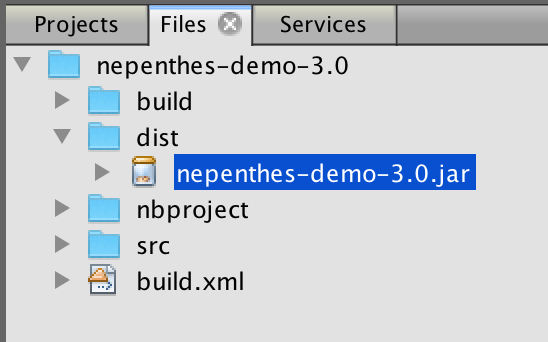
- Build the project
- Swith Projects panel to Files
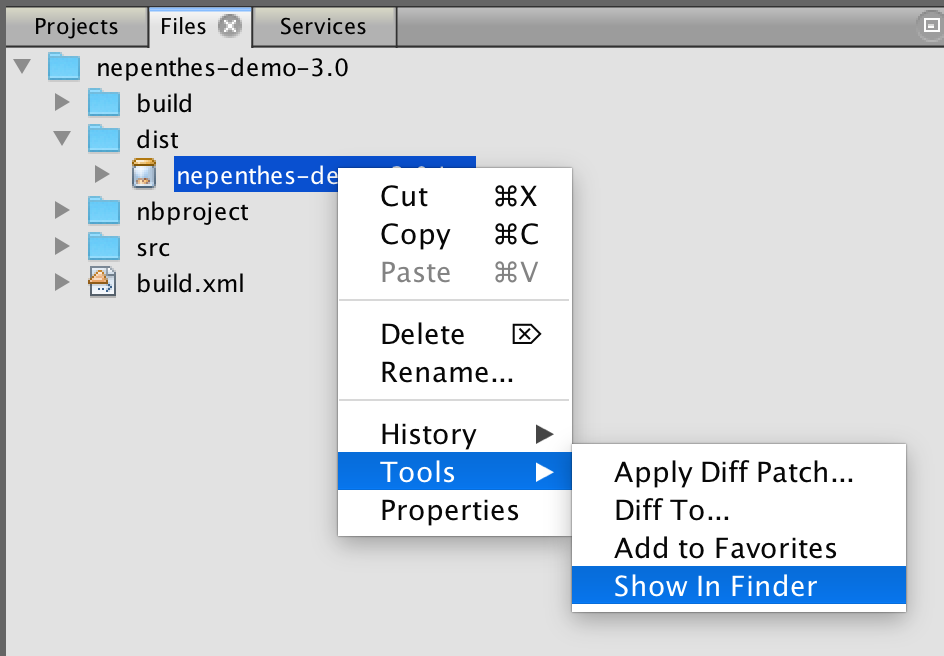
- Right click to show Context Menu:Tool->Show In Finder
- Copy nepenthes-demo-3.0.jar to /usr/local/apache-tomcat-7.0.55/webapps/NepenthesDemo/WEB-INF/lib
- open /usr/local/apache-tomcat-7.0.55/webapps/NepenthesDemo/WEB-INF/web.xml,add the following contents.
- Now web.xml has the following contents,please verify with yours.
- To make sure UserService enabled properly,please restart Tomcat. Open Terminal,execute the following commands.
/usr/local/apache-tomcat-7.0.55/bin sudo ./shutdown.sh sudo ./startup.sh- Here you have alread developed backend service for table User.